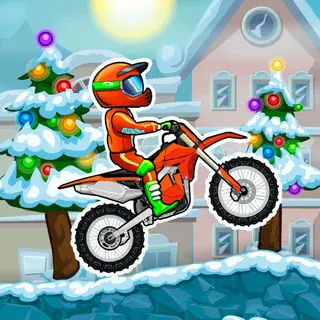
Crazy Bikes Unblocked — Play Free Online
More Physics Driving games






Crazy Bikes unblocked: play Crazy Bikes online free right here in your browser — no download, no sign-up, works on a school Chromebook.
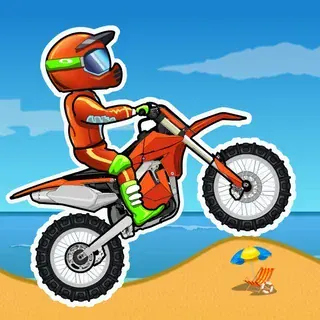
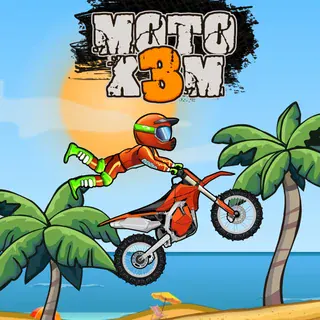
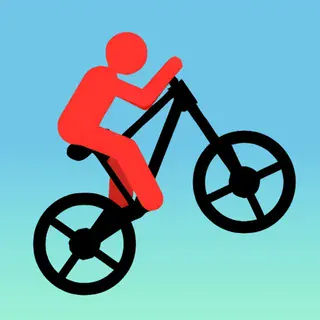
Crazy Bikes is a stunt-riding game built on physics rather than on a fixed track. You steer a bike over jumps, bumps and uneven ground, and the whole game comes down to one question: can you keep the rider upright and the wheels pointing the right way when you land? It runs in the browser with nothing to install, so a session can be as short as a couple of attempts.
If you came to this site for Drive Mad, the appeal will be familiar. Both games hand you a vehicle that reacts to every bump, and both punish a heavy hand. The difference is the two-wheeled balance: a car can shrug off a rough landing, but a bike that tips too far forward or back usually ends the attempt on the spot.
The description on this page is short, and we would rather say so than invent level counts or modes we cannot vouch for. What follows sticks to what the game plainly offers: a bike, rough terrain, jumps and flips.
How to play
The arrow keys or WASD both work. Forward and back drive the bike, and the same keys tilt it, so throttle and rotation are tied together. That is the key idea: on the ground the keys move you along, and in the air they change the angle of the bike.
A round is a run of driving, launching off a ramp or crest, adjusting your angle in mid-air, and landing. Flips are part of the fun, but a flip only counts for anything if you come down on the wheels. A crash generally means restarting the attempt.
Tips
- Ease off the throttle over bumps and on hills. Holding the key down is the fastest way to flip the bike.
- Look at the landing before you take off. Being slightly nose-down on touchdown is usually easier to recover from than landing tail-first.
- Make small corrections in the air rather than holding a tilt key. A short tap changes the angle without overrotating.
- Your first few tries are for learning how heavy the bike feels. Do not chase big tricks until the basic balance is second nature.
Similar games on Drive Mad
Stickman Bike is the closest neighbour if you specifically want two wheels. Hill Climb Racing Lite swaps stunts for distance, where you manage fuel and hills. Monster Tracks and Offroader V5 use heavier vehicles, so the challenge is momentum rather than balance.
Crazy Bikes suits a quick keyboard session, since each attempt is short and you can retry straight away.
Questions about Crazy Bikes
Is Crazy Bikes unblocked at school?
Crazy Bikes runs in an ordinary browser tab from drivemad.click, with nothing to download or install, so it plays on most school Chromebooks and work computers. If a network filter blocks the site, only that network's administrator can change it.
What are the controls in Crazy Bikes?
Arrow keys or WASD drive the bike and tilt it. Go easy on the throttle over bumps and hills, because a flipped bike usually means a restart.
Why does my bike keep flipping over?
The same keys drive and tilt, so holding the throttle on bumps or in the air rotates the bike. Short taps and easing off before landing keep it level.
Is Crazy Bikes free to play?
Yes. It runs in your browser on drivemad.click with no download or account.
Can I play Crazy Bikes on a phone?
The controls are keyboard-based (arrow keys or WASD), so it is easiest on a computer or Chromebook with a keyboard.