

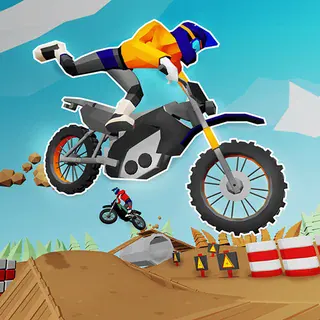
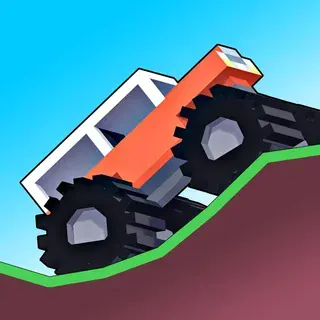
This is Drive Mad unblocked: the full game loads straight from drivemad.click in your browser, so you can play Drive Mad online free on a school Chromebook, a laptop or a phone with no download and no sign-up.
Drive Mad: two keys, one flag and a course that fights back
Drive Mad is built around a simple question: can you get this truck from here to that flag? The answer is usually no, at least the first time. Each level is a small contraption made of Fancade's blocks — a bridge of planks that bends under the weight, a see-saw that drops you onto a ledge, a ramp that throws you over the flag if you arrive too fast, a car stacked on top of your truck that you have to deliver without dropping it.
You only have two keys, forward and reverse, and there is no brake button — reverse is the brake. The same two keys tilt the truck when it is in the air. That is the whole control scheme, so the challenge is entirely in how much you press. The truck carries its weight at the back, which means that holding forward on a slope slowly lifts the front wheels until the whole thing flips. Short taps, not long holds, are what get you through most levels.
Crashes cost nothing but a second: land on the roof or fall into the water and the level simply starts again. That makes Drive Mad a game of quick experiments. Try the bridge at full speed; try it slowly; try reversing up to get a run-up. When the campaign gets tough, Race mode is a change of pace — pick a cup, spend coins on speed, grip and stability, and race three bots over three tracks.
Controls & mechanics
| Action | Control | Purpose |
|---|---|---|
| Forward | Right arrow or D | Accelerates; hold it on a slope for too long and the nose lifts |
| Reverse / brake | Left arrow or A | Backs up, and is the only way to slow down |
| Tilt in the air | The same two keys while airborne | Forward pitches the nose down, reverse lifts it — tap, do not hold |
| Pause / level list | Pause button or Esc | Every level with your best time, plus Restart and Home |
| Race mode | Crossed flags, top right | Cups, car upgrades and three-bot races on the same two keys |
| Touch | Hold the right or left half of the screen | Right drives, left reverses |
How to get through Drive Mad
- Tap on climbs: Hold forward up a steep hill and the truck rears up and flips. Pulse the key instead: half a second on, a moment off. You barely lose speed and the front stays down.
- Reverse is the brake: Before a drop or a wobbly bridge, tap reverse to scrub speed. Arriving slowly is almost always safer than arriving fast.
- Fix the landing in the air: Watch the truck as it flies. If the nose is up, tap forward; if it is diving, tap reverse. Land with the wheels parallel to the ground.
- Read the level name: Names like Back Up or Tip Over tell you what the level wants. If the obvious route fails twice, the name is the hint.
- Sometimes speed is the answer: Some walls and gaps only give way at full speed. If careful driving keeps failing, reverse for a run-up and go flat out.
- Upgrade grip first in Race mode: The bots are fast, but most races are lost on corners and bumps. Grip and stability keep the car on the track; speed only helps once it stays there.
Key features
- 100 levels: Short, hand-made courses, each with its own trick.
- Race mode: Cups against three bots, with coins for speed, grip and stability upgrades.
- Two keys: Forward and reverse — which also tilt the truck in the air.
- Instant retries: A flip or a splash restarts the level in a second.
- Best times: The level list keeps your fastest finish on every track.
- Runs on a Chromebook: The original web build, served from this domain, nothing to install.
Game info
- Title: Drive Mad
- Developer: Martin Magni (Fancade)
- Category: Physics Driving
- Platform: Web browser (HTML5)
- Developer: Martin Magni (Fancade) · 2022 · 100 levels + Race mode · web build served from drivemad.click
Pro tip: When a level has a rope bridge, cross it at a steady medium speed with forward held gently. Stopping in the middle makes it sag and swing; racing across bounces the truck off it.